Tasks and projects
Every open task by deadline, what's in flight, blocked, or going stale, and each project's progress, read straight from task frontmatter.
Tasks are one markdown file each (see Tasks and projects). The dashboard reads their frontmatter directly, so what you see is the files, never a cached copy.
The Tasks header counts what's overdue, due today, due this week, in flight, blocked, and going stale; each tile scrolls to the group that lists them. Deadline counts include in-flight tasks, which the agenda lists once, under In flight, so a tile names how many of its count are there. The Projects header counts the projects, how many are moving, how many have blockers, the quiet ones, and how much is done overall.
Tasks · Agenda
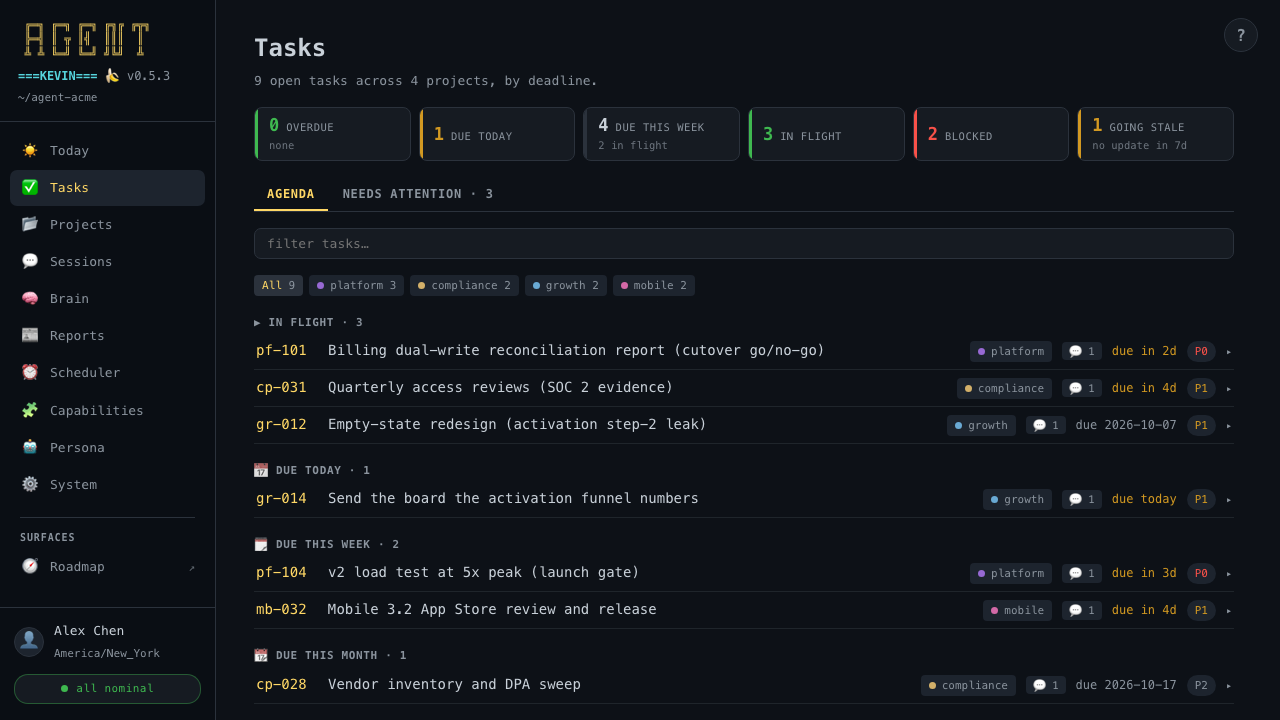
Every open task by deadline. In flight leads: the active tasks, each once, with its own due date. Then the rest by due date: overdue, due today, due this week, due this month, due later, and no due date. Project chips filter the list, and the filter box searches titles.
The agenda is about deadlines. What you planned for today, the week, or the month is Today → Focus.
Tasks · Needs attention
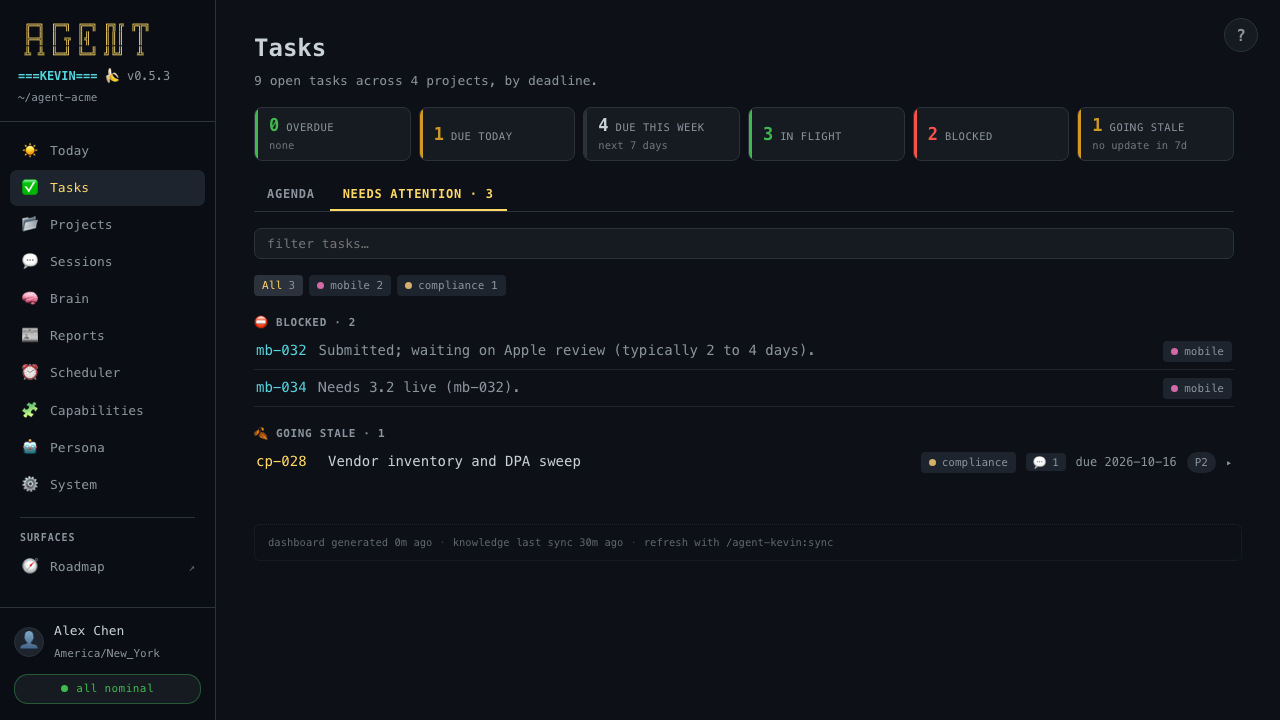
- Blocked: every blocked task, with its reason.
- Going stale: open tasks not updated in over a week. They're informational; they never turn the health badge amber.
Projects
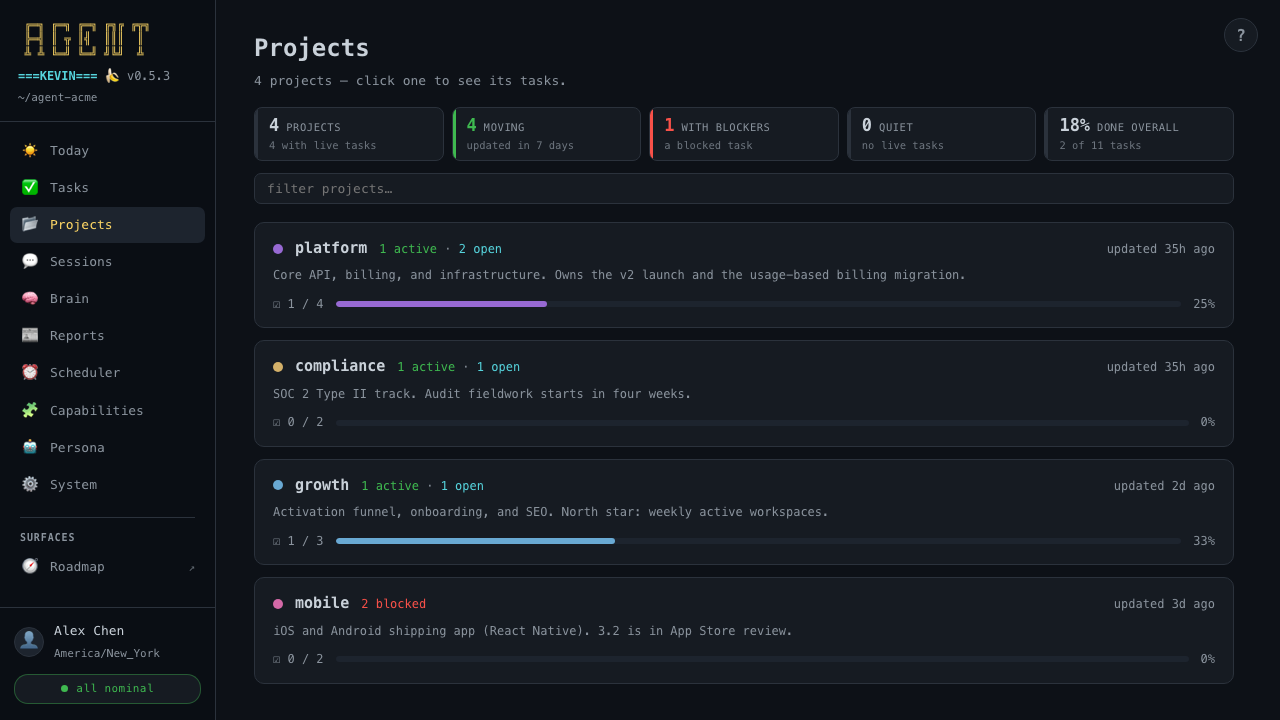
One card per project, most recently updated first, with the description from its README, an active, open, and blocked count, and a progress bar of done over total (archived tasks count as done). Click a card to expand its tasks by status. A project with its own roadmap.html or focus page gets a link to each.
Today
Your day, opened on Focus. What today is for, what slipped, the week and month, the roadmap in flight, who is waiting on you, what moved today, your goals, and the morning's news.
Sessions
What you and the agent worked on, captured automatically. The latest radar, 30 days of history, and where the work happened.